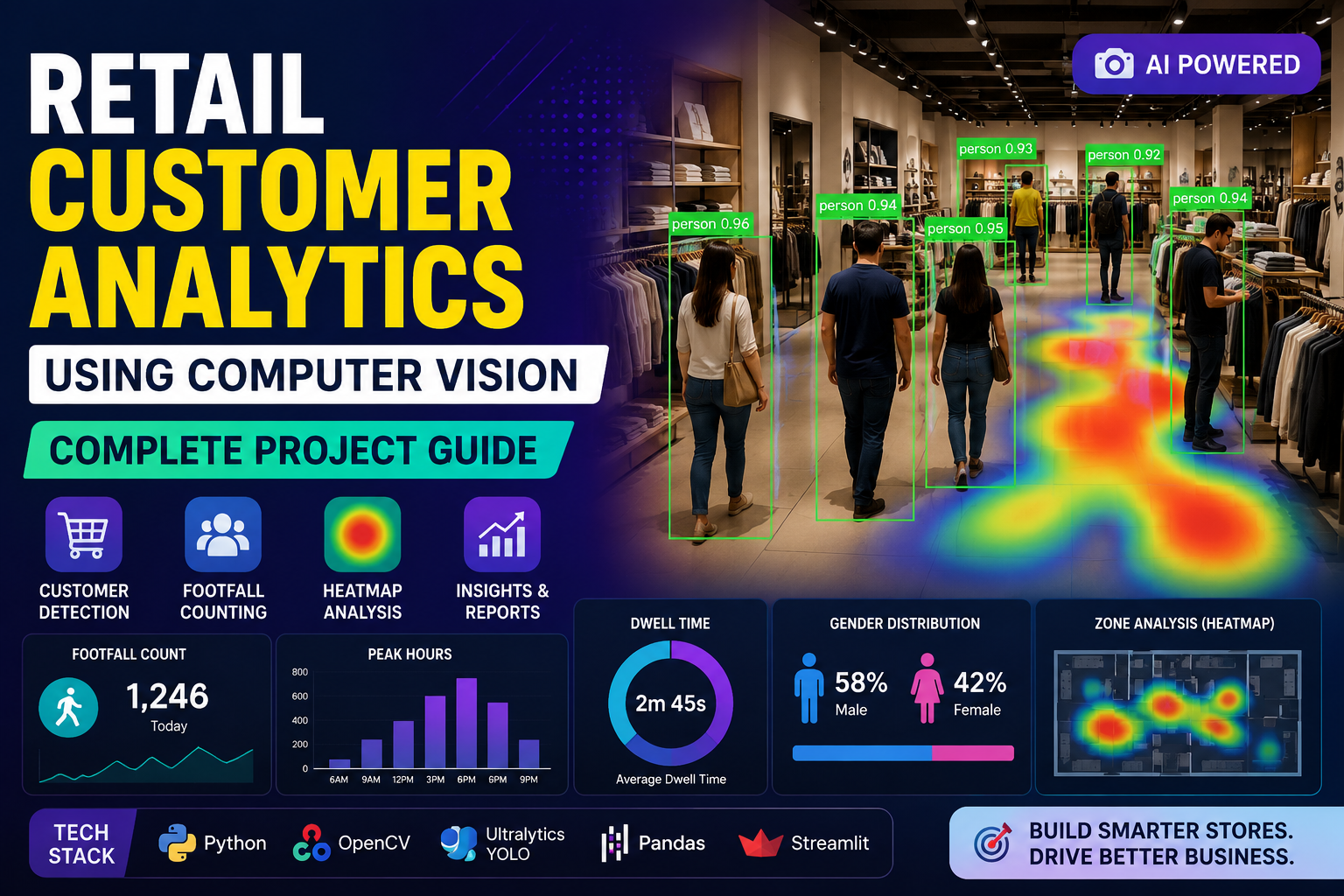
Walk into any well-run store today and there’s a good chance cameras overhead aren’t just recording for security anymore — they’re quietly measuring how long you paused at the shoe display, which aisle you skipped entirely, and how long you waited at checkout before giving up and leaving. This is retail customer analytics powered by computer vision, and it’s rapidly becoming one of the most valuable tools in a retailer’s arsenal.
Unlike surveys or loyalty card data, computer vision captures what customers actually do — not what they remember or choose to report. For retailers trying to boost conversion, fix store layout problems, or simply understand foot traffic patterns, that’s an enormous advantage. This guide breaks down exactly how it works, what it can do for your business, and how to start implementing it.
What Is Retail Customer Analytics Using Computer Vision?
At its core, retail customer analytics with computer vision uses cameras combined with AI software to observe and interpret shopper behavior inside a physical store — automatically, continuously, and without interrupting the shopping experience. The system watches video feeds, identifies people and objects, tracks movement, and converts all of that raw footage into structured data retailers can actually use.
Instead of guessing why a display isn’t selling or why a certain aisle feels congested, retailers get concrete numbers: how many people walked past, how many stopped, how many picked something up, and how many ultimately bought.
Why It Matters: The Core Metrics Retailers Track
Computer vision systems typically report on a handful of key metrics that map directly to business decisions:
- Foot traffic — total number of visitors entering the store or a specific zone
- Dwell time — how long customers linger in a particular area, aisle, or in front of a display
- Conversion rate — the percentage of visitors who make a purchase
- Basket size — average number of items per transaction
- Heatmaps — visual representations of which areas attract the most attention and foot traffic
Individually, each metric tells part of the story. Together, they reveal exactly where a store is winning and where it’s leaking potential revenue.
The Technology Stack Behind the Scenes
Retail computer vision isn’t a single piece of software — it’s a pipeline of technologies working together.
Image and Video Processing
Before any analysis happens, raw camera footage needs cleaning. This stage adjusts brightness, reduces noise, and corrects distortion so downstream models can “see” clearly. Skimping here leads to inaccurate detections later, so it’s a foundational — if unglamorous — step.
Object Detection and Tracking
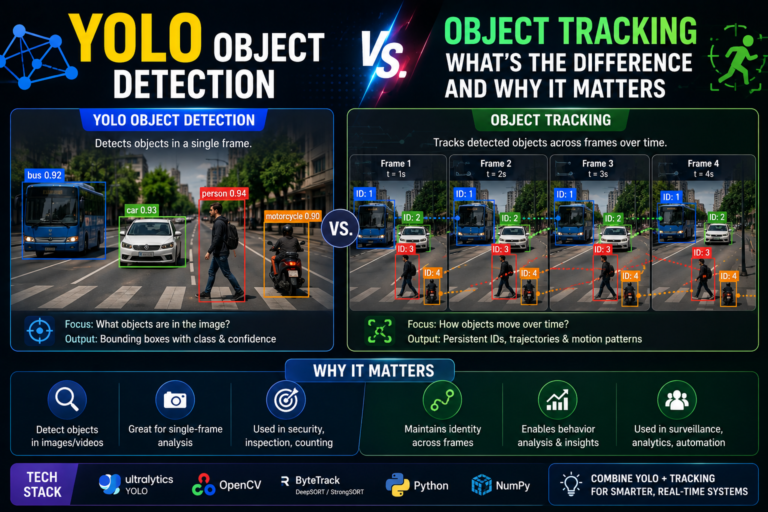
This is where the real intelligence kicks in. Object detection models identify people, products, and shopping carts within a video frame, while tracking algorithms follow those objects across consecutive frames. Retailers use this combination to count visitors, monitor which products get picked up, and understand movement patterns through the store. Popular detection architectures for this task include YOLO, SSD, and Faster R-CNN — with YOLO in particular favored for its real-time speed, which matters enormously when you’re processing live video from dozens of cameras simultaneously.
Facial Recognition (Used Carefully)
Facial recognition can identify repeat visitors and estimate demographic information, which helps with personalization. However, it’s also the most sensitive technology in this stack from a privacy standpoint, and responsible retailers deploy it only with strict anonymization practices, clear customer disclosure, and full compliance with regional privacy law.
Behavior Analysis
Beyond simple counting, more advanced systems interpret gestures, posture, and interaction patterns — did a customer pick up a product and put it back? Did they pause and look confused near a directory? This layer of analysis turns raw movement data into insight about customer intent and friction points.
How Retailers Collect This Data
Camera Placement
Effective data collection starts with smart camera placement — typically at entrances, along key aisles, near high-value displays, and at checkout counters. Wide-angle, high-resolution cameras reduce the number of devices needed while minimizing blind spots that create gaps in the data.
Privacy and Compliance
Because this technology captures footage of real people, privacy has to be a first-class concern rather than an afterthought. Best practices include anonymizing data wherever possible, avoiding unnecessary storage of personally identifiable information, posting clear signage informing customers that analytics cameras are in use, and complying with applicable regulations such as GDPR or CCPA depending on your region.
Integrating with POS Systems
Camera-based behavioral data becomes far more powerful when it’s linked to actual transaction data from point-of-sale systems. This integration lets retailers connect what customers looked at with what they ultimately bought, revealing which displays and layouts genuinely drive sales rather than just attention.
Building an Analytics Model: The Basic Workflow
For retailers or teams building this capability in-house, the general workflow looks like this:
- Data preprocessing — cleaning and standardizing raw footage through resizing, normalization, and augmentation
- Model training — training object detection models on labeled data so they learn to reliably recognize people and relevant products
- Customer segmentation — grouping shoppers by behavior patterns (browsers vs. buyers, first-time vs. repeat visitors) to inform targeted strategies
- Real-time analytics — deploying the trained model so insights are available instantly, allowing staff to react to conditions as they happen rather than reviewing reports days later
Real-World Use Cases
Foot Traffic and Peak-Hour Analysis
Understanding exactly when your store gets busiest allows for smarter staff scheduling and inventory planning, reducing both overstaffing during quiet periods and understaffing during rushes.
Shelf Engagement Measurement
By tracking how long customers look at or handle specific products, retailers can identify genuinely popular items versus those that need better placement, pricing, or packaging.
Queue and Checkout Management
Computer vision can detect when checkout lines grow too long and automatically alert staff to open additional registers — a small operational fix that has an outsized impact on customer satisfaction and abandoned-cart behavior at the register.
Personalized Marketing
Aggregated behavioral patterns help retailers design promotions and in-store messaging that actually match what shoppers are interested in, rather than relying on generic, one-size-fits-all campaigns.
Common Challenges (and How to Solve Them)
No system is perfect out of the box. Here are the most common obstacles retailers face and practical ways around them:
- Occlusion and lighting issues — Objects blocking the camera view or inconsistent lighting can distort results. Multiple camera angles and wide-dynamic-range hardware help minimize this.
- Data accuracy — Poor image quality or biased training data leads to unreliable insights. Regular camera calibration and diverse training datasets improve consistency.
- Privacy concerns — Customers are increasingly aware of and sensitive to being tracked. Anonymization, transparent policies, and secure data handling address this directly.
- Scalability — Larger stores or multi-location chains generate massive amounts of video data. Cloud computing offers flexible scaling, while edge computing (processing data locally on-device) reduces latency and bandwidth costs.
Tools and Frameworks to Get Started
If you’re exploring building or evaluating a retail computer vision system, here’s a practical starting toolkit:
Computer vision libraries: OpenCV for core image processing, TensorFlow or PyTorch for building and training custom detection models, and MediaPipe or Dlib for lightweight face and pose estimation tasks.
Cloud-based analytics APIs: Amazon Rekognition, Google Cloud Vision, and Microsoft Azure Computer Vision all offer pre-built models that reduce the need for heavy in-house machine learning expertise — a good option for smaller retailers who want results without building a data science team.
Hardware: High-resolution, high-frame-rate cameras are essential for data quality. NVIDIA GPUs accelerate model training, while edge devices like the NVIDIA Jetson allow processing to happen locally near the camera, cutting down on latency and cloud costs.
Where This Technology Is Headed
Retail computer vision is still evolving quickly, and a few trends are shaping what comes next:
- AI-driven predictive insights — Rather than just reporting what happened, systems are increasingly forecasting what’s likely to happen next, from inventory needs to staffing requirements.
- IoT integration — Cameras working alongside connected sensors will provide a more complete, real-time picture of store conditions and customer behavior.
- Augmented reality — AR applications are beginning to merge with in-store analytics, letting customers preview products digitally while retailers gather even richer interaction data.
Is This Accessible for Small Retailers?
Yes — and increasingly so. Computer vision analytics used to be the exclusive domain of large chains with dedicated data science teams and enterprise budgets. That’s changed. Affordable AI-powered cameras, pay-as-you-go cloud vision APIs, and pre-trained detection models mean a single-location boutique or independent grocer can implement meaningful analytics without building anything from scratch. The key is starting small: track foot traffic and dwell time first, prove the value, and expand from there.
Final Thoughts
Retail customer analytics powered by computer vision turns the physical store into something closer to a website with analytics built in — every visit, pause, and interaction becomes data you can actually learn from. The technology has matured to the point where implementation no longer requires a massive budget or in-house AI team, just a clear starting point and a willingness to act on what the data shows.
Start with one or two metrics that matter most to your business — foot traffic, dwell time, or queue length are good first choices — and build from there. The retailers who win in the years ahead won’t necessarily be the ones with the most cameras, but the ones who turn what those cameras see into better decisions.