Most productivity tools ask employees to log what they did. Computer vision skips the asking entirely — it simply watches the workflow itself, quietly measuring how tasks actually unfold on the factory floor, in the warehouse, or across the office. No timesheets, no manual check-ins, no guesswork. Just objective data about where time goes and where it gets lost.
For managers trying to cut bottlenecks, improve safety, or simply understand how work really happens day to day, this shift from self-reported data to observed data is a big deal. This guide covers what worker productivity monitoring with computer vision actually involves, how it works, and how to think about implementing it responsibly.
What Is Computer Vision-Based Productivity Monitoring?
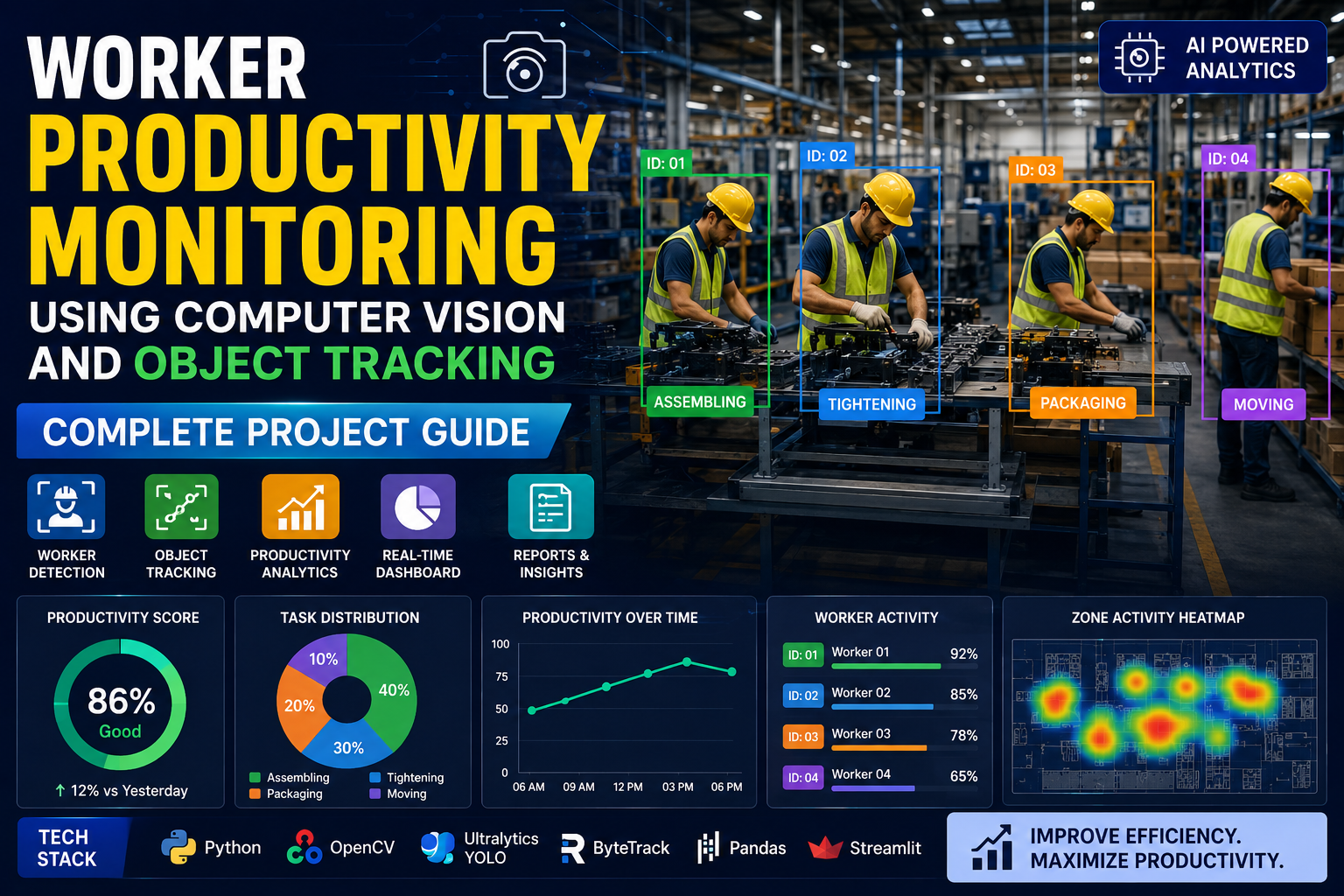
At a basic level, this technology uses cameras paired with AI software to observe workspaces, track how people and objects move through them, and turn that raw footage into structured insight. Rather than relying on someone to report how long a task took, the system watches it happen and measures it directly.
It’s important to be clear about what this is and isn’t. Done well, it’s not surveillance aimed at watching individual employees’ every move — it’s a tool for understanding workflow patterns, spotting inefficiencies, and improving conditions across a team or process. That distinction matters both ethically and practically, and it shapes how the best implementations are designed.
Why Companies Are Adopting It
Improving Efficiency
By tracking how tasks actually get completed, computer vision reveals exactly where delays happen — a machine that sits idle too long, a walking path that adds unnecessary steps, a handoff between workers that consistently causes a slowdown. Once a bottleneck is visible in the data, fixing it becomes a straightforward operational decision rather than a guess.
Enhancing Workplace Safety
Cameras trained to recognize unsafe behavior can flag missing protective equipment, risky movements near machinery, or hazardous conditions the moment they occur — often faster than a human supervisor walking the floor could catch them. This kind of real-time alerting helps prevent incidents before they happen, rather than just documenting them afterward.
Reducing Operational Costs
Better visibility into workflows naturally reduces waste. Schedules get tighter, overtime drops, equipment gets maintained more consistently, and fewer safety incidents mean lower medical and liability costs. None of these savings require dramatic changes — they come from simply knowing where the inefficiencies actually are.
The Technology Behind the System
Core Components
A productivity monitoring setup typically combines three things: cameras that capture the raw visual data, computer vision algorithms that interpret what’s happening in that footage, and machine learning models that improve accuracy over time as they see more examples of how work actually happens in that specific environment.
Image and Video Processing
Before any meaningful analysis can happen, raw footage needs cleaning — adjusting for lighting, reducing noise, and breaking video into individual frames for detailed examination. This preprocessing step is unglamorous but essential; skip it, and everything built on top becomes less reliable.
Real-Time Analysis
The real value of this technology comes from its immediacy. Rather than reviewing footage after the fact, modern systems process video as it’s captured, which means managers can see delays or safety issues as they’re happening and respond in the moment — not in a report generated three days later.
The Role of Object Tracking
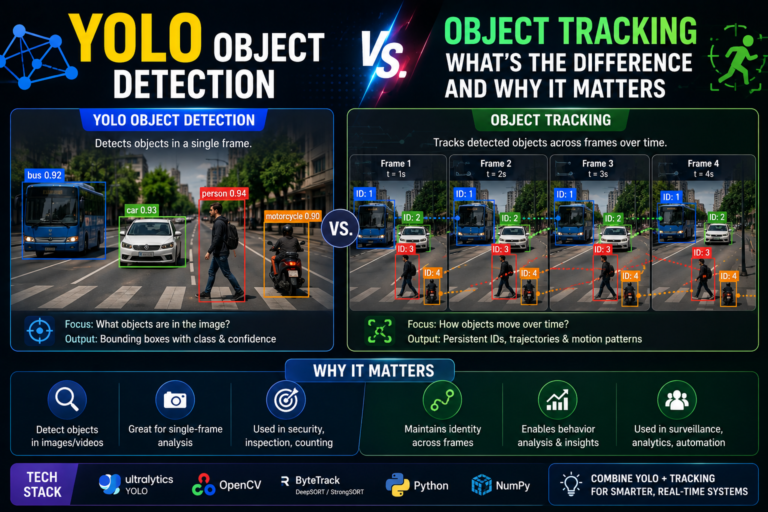
While detection identifies what is in a frame, tracking follows those objects across time — and this is where a lot of the real productivity insight comes from.
Tracking Worker Movement
By following how people move through a space over a shift, object tracking reveals patterns that are hard to spot otherwise: excessive walking between stations, frequent waiting at a particular point in the process, or workflow paths that could clearly be shortened with a better layout.
Monitoring Equipment Usage
The same tracking approach applies to machines and tools — showing whether equipment is being used correctly, whether it’s sitting idle for long stretches, or whether usage patterns suggest a maintenance issue before it becomes a costly breakdown.
Catching Anomalies Early
Because the system is watching continuously, it can flag unusual behavior or process deviations the moment they appear, rather than after a mistake compounds into a bigger problem. Early detection here often means the difference between a small correction and a serious quality issue.
What It Takes to Implement This
Hardware Considerations
Good results start with good cameras — high resolution, wide coverage, and consistent lighting across the monitored space, positioned to eliminate blind spots. Behind the cameras, you’ll need enough local or cloud computing power to process video in real time, sufficient storage for the resulting footage, and network infrastructure that can reliably move that much data.
Software Requirements
The software layer needs to detect and track people and objects accurately, recognize tasks automatically, and surface alerts for anything unusual — all through an interface simple enough for supervisors to actually use day to day. Compatibility with existing operational systems matters too, since isolated data is far less useful than data that connects to the rest of your workflow tools.
Common Integration Challenges
Rolling this out rarely goes perfectly smoothly on the first try. Expect to navigate technical friction between different hardware and software components, training time for staff to get comfortable with new tools, and — perhaps most importantly — the human side of the rollout: clear communication about what’s being monitored and why, which goes a long way toward reducing resistance.
Data Privacy and Ethics: Getting This Right
This is the part of the conversation that matters most, and it deserves real attention rather than a footnote.
Employee Consent and Transparency
Workers should know clearly what’s being monitored, why, and how the data will be used. Vague or hidden monitoring policies erode trust fast and can seriously damage morale — while transparent, well-communicated systems tend to be accepted far more readily.
Data Security
Video and tracking data need to be protected like any other sensitive company asset: strong encryption, restricted access to authorized personnel only, and regular security audits to catch vulnerabilities before they become breaches.
Monitoring Without Surveillance Culture
The healthiest implementations focus on patterns and workflows, not individual scrutiny. Systems built around anonymized, aggregate data — rather than tracking named individuals in granular detail — tend to deliver the operational benefits without creating the surveillance atmosphere that damages trust and engagement.
Where This Is Already Working
Manufacturing: Production-line monitoring has helped some facilities cut downtime meaningfully by catching unsafe habits and process delays early, while also improving quality control by flagging errors before they move further down the line.
Logistics and Warehousing: Tracking how workers move through a warehouse and handle packages has helped some operations noticeably speed up order fulfillment, with the underlying data also guiding smarter warehouse layout decisions.
Office Environments: Even outside industrial settings, tracking how space actually gets used has helped some offices identify layout problems — like open floor plans causing constant interruptions — and make adjustments that measurably reduced distractions.
What’s Coming Next
Smarter AI models: As machine learning models see more data, they get better at recognizing subtle behavioral patterns and distinguishing genuine issues from false alarms — meaning fewer irrelevant alerts and more actionable insight.
Wearable integration: Combining camera-based tracking with wearable sensors adds a physical dimension — fatigue, strain, and health indicators — creating a fuller picture of worker wellbeing alongside pure productivity metrics.
Predictive analytics: Rather than just reporting what already happened, the next generation of these systems aims to forecast where productivity is likely to dip or where safety risks are building, giving managers a chance to act before problems materialize rather than after.
Getting Started the Right Way
If you’re considering this for your own operation, start narrow. Pick one workflow or one area — a single production line, one warehouse zone, a specific safety concern — rather than trying to monitor everything at once. Be upfront with your team about what’s being tracked and why before a single camera goes live. And treat the resulting data as a tool for fixing processes, not for scrutinizing individuals; that framing alone will shape how the whole rollout is received.
Final Thoughts
Worker productivity monitoring with computer vision and object tracking isn’t about replacing management judgment with camera footage — it’s about giving that judgment better information to work with. Done thoughtfully, with real transparency and a focus on workflows rather than individuals, it can meaningfully improve efficiency, safety, and cost control, while still respecting the people doing the work.
The organizations getting the most out of this technology aren’t necessarily the ones with the most sophisticated systems — they’re the ones that paired it with clear communication and used it to fix real problems, not just to watch.